The Domain Checker on iWebSeoTool is a free domain checker that looks up a domain’s WHOIS registration details and gives an indication of whether a name looks registered or likely available. It runs right here on iwebseotool.com — no sign-up, no installation, and nothing to pay. This guide explains what the tool does, how to use it step by step, its key features, and when it is the right tool for the job.
Key takeaways
- The Domain Checker is a free domain checker — it looks up a domain’s WHOIS registration details and gives an indication of whether a name looks registered or likely available.
- Input: the domain name you want to check. Output: registration details, or an indication the name may be available.
- No account, no install and no cost — it works in your browser or on demand from the page.
- It is built for webmasters, developers and site owners who look after websites.
What is the Domain Checker?
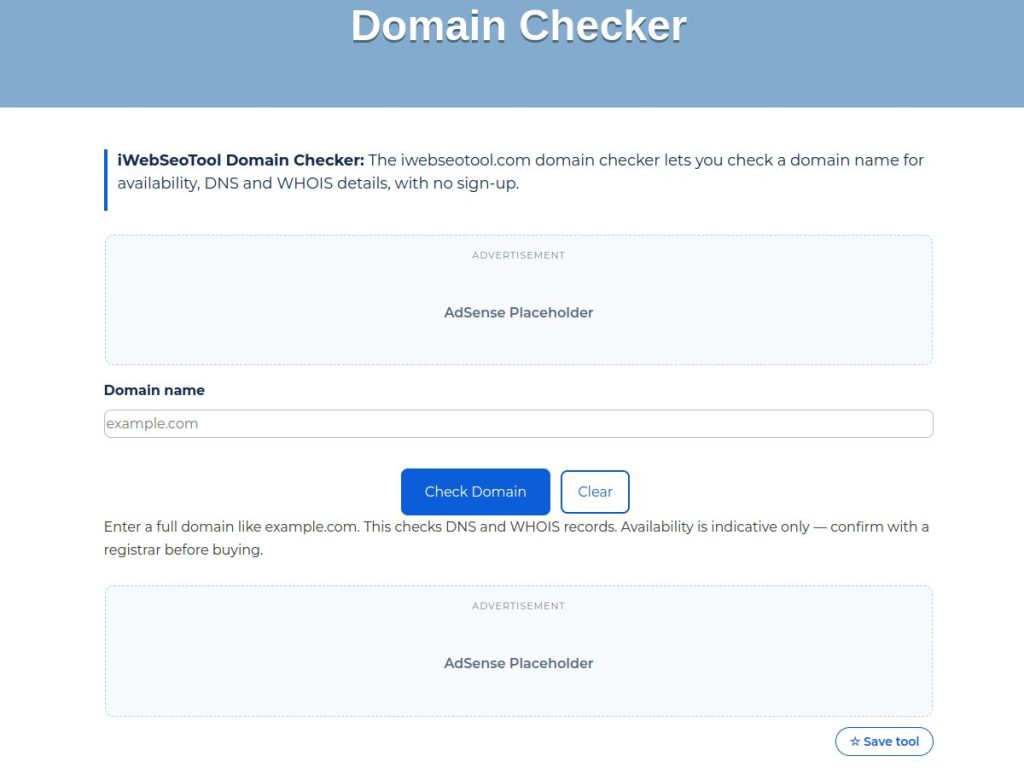
The Domain Checker is an online tool that looks up a domain’s WHOIS registration details and gives an indication of whether a name looks registered or likely available. Instead of installing software or doing the work by hand, you open the page, add the domain name you want to check, and the tool does the rest. The result — registration details, or an indication the name may be available — is shown on the same page, ready to use straight away.
It is one of the free tools published by iWebSeoTool at iwebseotool.com, alongside 40 other SEO, AI and online tools. Every tool on the site does one job, does it in the browser or on demand, and shows the result on the same page — there is nothing to download and no account to create.
People search for this tool in several ways — domain checker tool, website domain checker, web domain checker — but every one of those searches is looking for the same thing: a quick, free way to get this job done properly. That is exactly what the iWebSeoTool Domain Checker is built for.
How to use this domain checker
- Open the Domain Checker page on iWebSeoTool.
- Add the domain name you want to check.
- Run the tool and check registration details, or an indication the name may be available.
- Copy the result, or download it where the tool offers a download, and use it wherever you need it.
The whole process usually takes less than a minute, and you can run it as many times as you like. If the result is not what you expected, adjust the input and run it again — there is no limit and no cost per use.
Key features
- Purpose-built: it looks up a domain’s WHOIS registration details and gives an indication of whether a name looks registered or likely available.
- Clear results — you get registration details, or an indication the name may be available.
- Simple input — all it needs is the domain name you want to check.
- Completely free, with no trial period and no paid upgrade required for the result.
- No sign-up or account — open the page and use it.
- No software to install and nothing to download.
- Works on phones, tablets, laptops and desktops.
- Unlimited use — run it as many times as you need.
- Checks run on demand — the page data fetched for a check is used to produce the result and is not stored.
- Part of iWebSeoTool, a suite of 41 free SEO, AI and online tools.
Domain Checker vs doing it manually
| By hand | With the Domain Checker | |
|---|---|---|
| Time | Several minutes, or longer for big inputs | A few seconds |
| Consistency | Easy to miss something or make an error | The same method applied every time |
| Cost | Your time, or paid software | Free |
When should you use it?
This tool is made for webmasters, developers and site owners who look after websites. Reach for it whenever the manual way is slow, repetitive or easy to get wrong — the Domain Checker gives you a consistent result every time, in seconds.
It is also the page to bookmark if you have been searching for a domain checker or a similar tool: one page, one job, done properly.
Tips for better results
- Start with your most important pages — home, services and top landing pages.
- Re-test after theme, plugin or server changes.
- Keep a note of results so you can compare before and after a fix.
- Check both the mobile and desktop experience of the same page.
Try the Domain Checker now
Open the Domain Checker and try it free. While you are here, you may also find the Website Speed Checker and Mobile-Friendly Test useful — they are part of the same free iWebSeoTool collection.
Frequently asked questions
What is the Domain Checker?
The Domain Checker on iWebSeoTool is a free domain checker that looks up a domain’s WHOIS registration details and gives an indication of whether a name looks registered or likely available. You open the page, add the domain name you want to check, and get registration details, or an indication the name may be available.
Is the Domain Checker free to use?
Yes. The tool is completely free on iwebseotool.com, with no sign-up, no installation and no usage limits.
How do I use the Domain Checker?
Open the Domain Checker page, add the domain name you want to check, run the tool, and then copy or download the result. The whole process usually takes less than a minute.
What do I get from the Domain Checker?
You get registration details, or an indication the name may be available. The result is shown on the same page, ready to use straight away.
Do I need an account to use this domain checker?
No. There is no account, registration or sign-in. Every iWebSeoTool tool works straight from the page, as many times as you need.
Is my data private when I use the Domain Checker?
When you enter a URL, the iWebSeoTool server fetches that page to run the check. The fetched content is used only to produce your result and is not stored.
Does the Domain Checker work on mobile phones?
Yes. The page works in any modern browser on phones, tablets, laptops and desktops — there is nothing to install from an app store.
How fast is the Domain Checker?
Results normally appear within a few seconds of running the tool. Larger inputs can take a little longer, but most jobs finish almost instantly.
What other tools work well with the Domain Checker?
For the jobs that usually come next, try the Website Speed Checker and the Mobile-Friendly Test. Like the Domain Checker, they are free on iWebSeoTool with no sign-up.
Why use the Domain Checker instead of doing it manually?
Doing it by hand is slower and easier to get wrong. The tool applies the same method every time, so you get a consistent result in seconds — and it is free.